

Creative Digital Strategies
for Business Success
Contact Information
Hire a UI/UX Designer
Design Decisions Made Wrong at the Start Cost More Than a Redesign Later
Most companies hire a UI/UX designer too late. The developer is already building. The component structure is locked. The navigation makes sense to the person who designed the information architecture in their head but not to the user who has never seen the product. Changing it now means rebuilding, not tweaking.
Good design is not visual polish applied at the end. It's the decisions made about user flows, information architecture, interaction patterns, and component hierarchy before a single screen is built. Those decisions determine how much the development costs, how fast users can accomplish what they came to do, and whether anyone comes back.
This page covers when to hire a UI/UX designer, which model fits which scope, and when MultiDivs is the right answer, and when it isn't.
5.0 on Clutch
150+ builds shipped
You own the code
multidivs.com — engineered
Your product, engineered
Core Web Vitals
LCP · INP · CLS ✓
owner = "you"
no lock-in
Product design
SaaS interfaces
Design systems
Figma
US, UK, EU clients
Wireframes
User flows
Figma prototypes
Design systems
SaaS UI
Mobile-first
Component libraries
The honest test
When does hiring a UI/UX designer actually matter?
It matters on every project. The question is when in the project it happens and how deeply the designer is involved in decisions vs execution.
A designer brought in to make finished screens look better is doing the wrong job at the wrong time. A designer is brought in before architecture decisions are made, who the users are, what tasks they need to complete, how information is structured across the product, changes what gets built and reduces what gets rebuilt.
"Most of the expensive development rework we've seen traces back to a design decision made without a designer in the room. The screen looked fine. The flow was wrong.
— Ravi, MultiDivs
Diagnosis
Signs you need a designer in the project now
Design problems don't announce themselves as design problems. They show up as support tickets, bounce rates, and development cycles that take twice as long as they should.
01
Users can't find what they came to do
Analytics shows drop-off at a specific point. Support asks the same navigation questions repeatedly. The product works but the path to the value is unclear. This is an information architecture problem. Changing the colour scheme won't fix it.
02
Development keeps getting blocked by unclear specs
Developers are making design decisions because there are no wireframes or specifications. Every decision made in code costs more to change than the same decision made in Figma. The absence of a designer is not saving money, it's moving cost downstream.
03
The interface works on desktop and breaks on mobile
Not visually breaks. Functionally breaks. Forms that can't be completed on a phone, menus that collapse into something unusable, checkout flows that abandon at 70%+ on mobile because the tap targets and input sequence weren't designed for a thumb.
04
The redesign is the third one in two years
A product or site that gets redesigned repeatedly hasn't had the underlying UX problem identified. Visual refreshes on top of a broken flow produce a better-looking broken flow. The problem is structural, not aesthetic.
05
You're building a SaaS product with no design documentation
Developers are making component decisions, spacing decisions, and interaction pattern decisions independently. By the time the product ships, it has three inconsistent button styles, four heading sizes that don't relate to each other, and no design system to build the next feature from.
06
The handover between design and development is broken
Designs exist but developers don't use them. Or developers deviate from them. Or the designs don't specify states, edge cases, or responsive behaviour, so the developer guesses. This is a process and deliverable problem, not a talent problem.
Worth it vs not
A straight test, not a sales pitch
Design work covers a range from pixel-level execution to product strategy. The right hire and the right engagement model depend on where the work actually sits.
HIRE MULTIDIVS
// we're the right fit when
- The project needs design and development working from the same brief, not handing files over a wall. WordPress builds, WooCommerce, Shopify, and SaaS products where the designer and the developer sit in the same team.
- You need a full design process: user flow mapping, wireframing, Figma prototype, component documentation, and developer handover specs, not just finished screens.
- You're building a design system from scratch or inheriting a broken one that needs consolidating before new features get designed on top of it.
- You need a retainer designer for ongoing product work, new features, A/B test variants, marketing pages, without hiring in-house.
- You've been through a redesign that didn't solve the problem and need someone to diagnose the underlying UX issue before touching the interface again.
DON'T HIRE US
// a different option fits better when
- You need a single landing page designed to a template with a fixed layout. A Figma freelancer at $50 to $80/hr is the correct answer for bounded, low-complexity execution work.
- You have strong in-house product designers and need a specific skill gap filled, illustration, animation, or brand identity work that sits outside product design.
- Your budget is below the point where a full UX process makes economic sense. A design sprint on a validated concept earns its cost. A design sprint on an unvalidated idea doesn't.
- You need pure brand identity or graphic design work with no UX component.
Turning away design work that doesn't need a full process is how we keep the work that does at the standard it should be.
Our projects
All projects
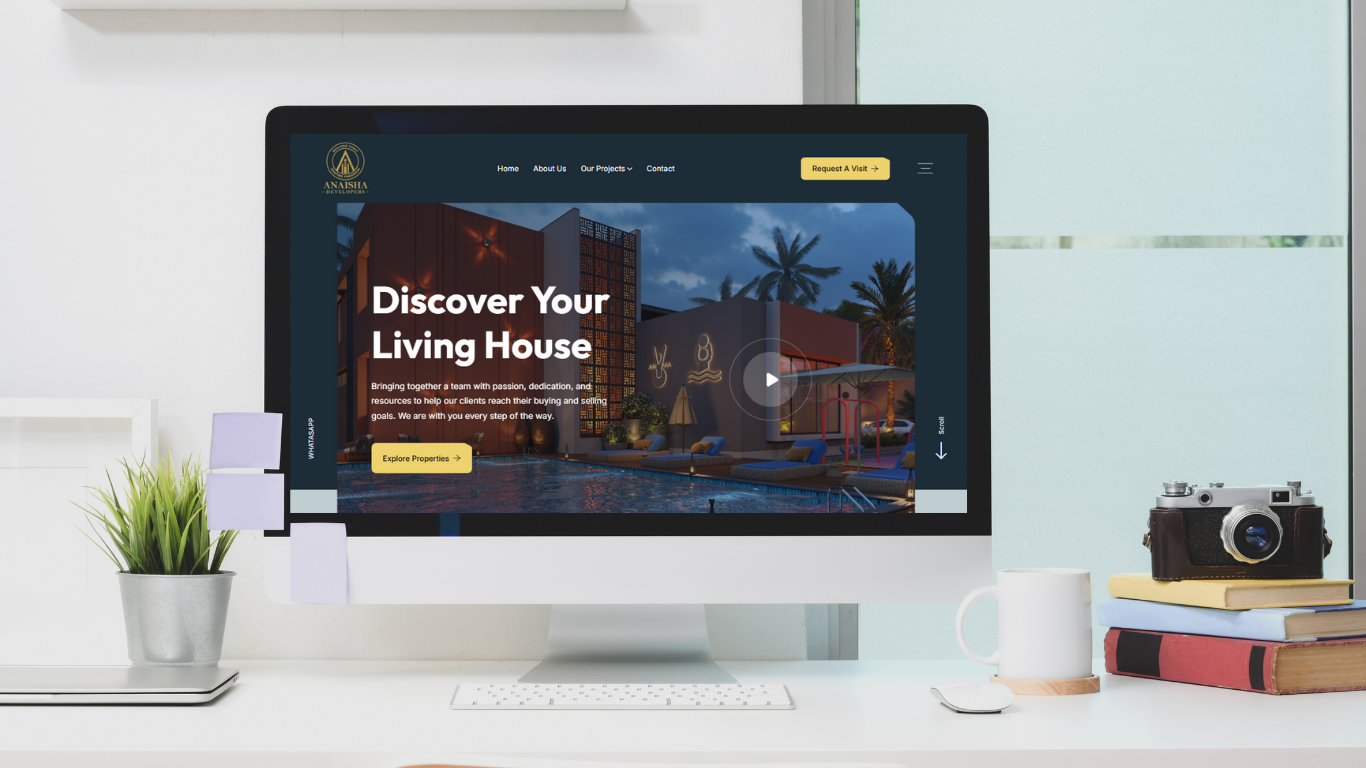
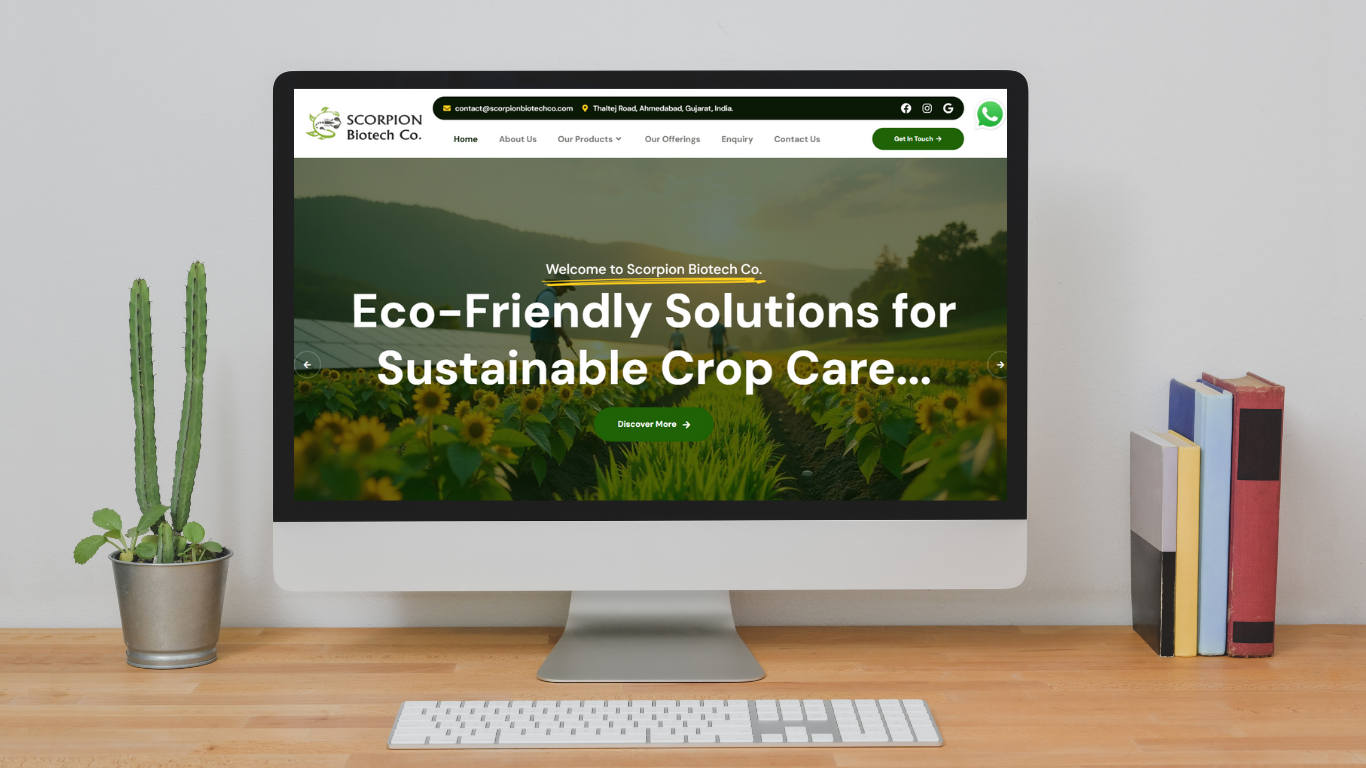
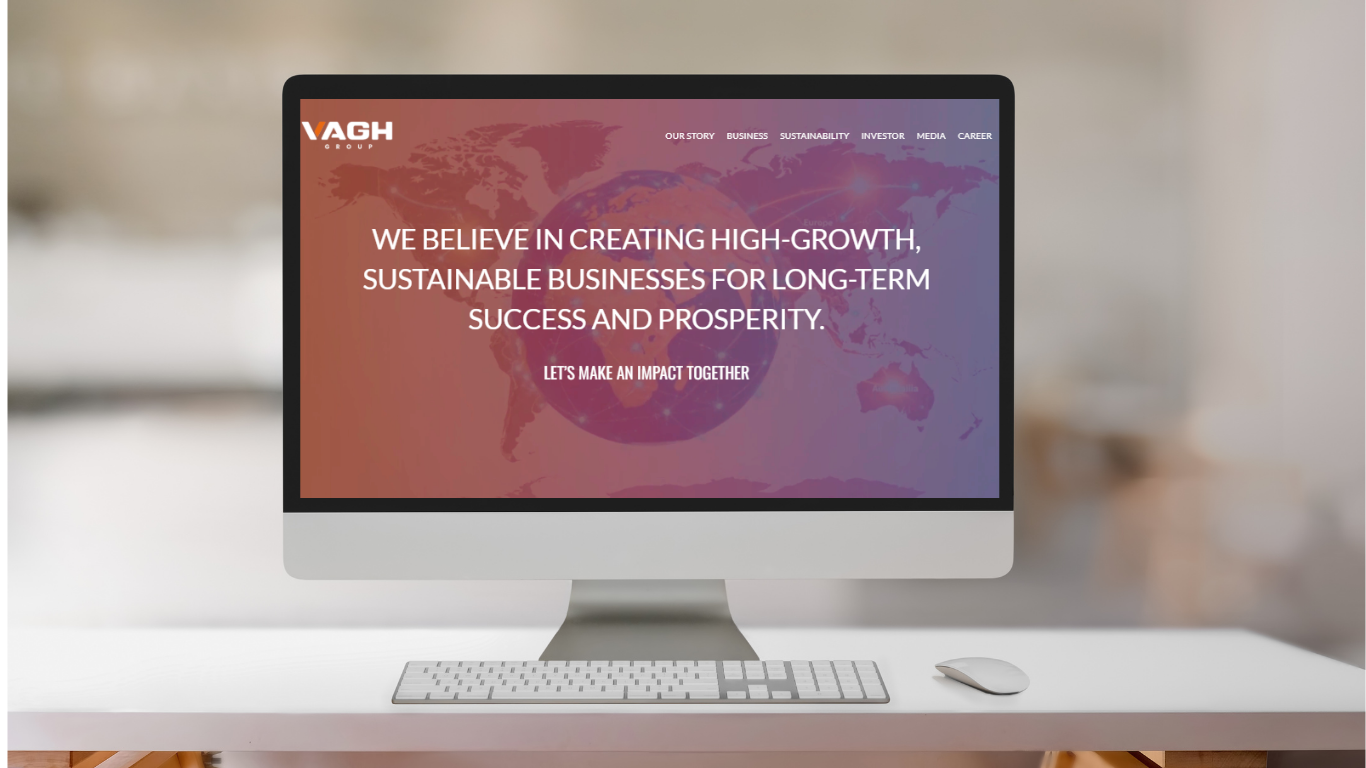
Featured WordPress development
How we work
What a design engagement with MultiDivs looks like
Most design briefs start with a visual reference and a vague instruction to make something similar. We start with who the user is and what they need to accomplish, because that determines every screen that follows.
F
STEP 01/05
Frame the problem
Who are the users, what are they trying to do, and where does the current design fail them? User flow mapping, competitive audit, and a clear problem statement before any wireframes. Skipping this produces polished solutions to the wrong problem.
R
STEP 02/05
Research and structure
Information architecture, navigation model, and content hierarchy established in low-fidelity before any visual decisions are made. This is the stage that changes the most expensive assumptions in a project and the stage most fast-moving projects skip, and regret.
A
STEP 03/05
Architect the system
Component structure, interaction patterns, spacing system, and typography scale defined as a system, not as individual screen decisions. A design system built now saves two to three design-and-development cycles later when a new feature doesn't require reinventing how a button or form input should behave.
M
STEP 04/05
Make: wireframe, prototype, specify
High-fidelity Figma designs with all states (default, hover, focus, error, empty, loading), responsive layouts at defined breakpoints, and developer handover specs that remove ambiguity from the build. Prototypes for user validation before development starts.
E
STEP 05/05
Evolve after build
Design doesn't end at handover. Real user behaviour surfaces issues a prototype doesn't catch. Retainer design support for ongoing iterations, A/B test variants, new feature design, and design system updates as the product grows.
A focused landing page or campaign design takes days to weeks. A full product design from research through design system takes months. Anyone quoting a timeline before understanding the user base and scope is guessing.
Under the hood
What "designed properly" actually means
Design is a set of decisions, and each one has consequences for how long development takes and whether users accomplish what they came to do.
05 · Conversion
Design is a conversion variable, not a cost centre
Offshore UX design engagements through managed services or agencies cost $25 to $60 per hour for mid-level work, representing 60 to 75% savings versus US freelance equivalents. The question isn't whether you can afford a designer. It's whether the design investment recovers its cost in the first quarter after launch. stealthagents
2–3×
Faster dev when specs are complete
60–75%
Cost saving vs US rates
0
Ambiguous handover specs
01
Information architecture and user flows
How pages, sections, and tasks relate to each other. Where users enter, where they drop off, and what the navigation model needs to do to move them between. Documented as user flows before the first screen is designed, because changing the flow after screens are done means redesigning the screens.
02
Wireframing and UX validation
Low-fidelity wireframes that test layout, content hierarchy, and task flow before any visual design decisions are made. Changes at wireframe stage cost hours. The same changes at high-fidelity stage cost days. The same changes in development cost weeks.
03
High-fidelity UI and prototyping
Figma designs with all states specified, default, hover, focus, active, disabled, error, empty, loading, at all defined breakpoints. Interactive prototypes for stakeholder sign-off and user testing before a developer touches the brief. No "we'll figure it out in dev" left in the handover.
04
Design systems and component libraries
A documented component library in Figma with spacing tokens, type scale, colour system, and interaction patterns. Every new screen built from components rather than designed from scratch. Development builds from the same system, so the coded product matches the designs and stays maintainable as the product grows.
06
Developer handover and specs
Redline annotations, spacing values, asset exports, and interaction notes that remove ambiguity from the build. A handover package that a developer can work from without a designer in the same meeting. Every responsive behaviour specified, not assumed.
07
Accessibility (WCAG 2.2)
Colour contrast ratios, touch target sizing, keyboard navigation patterns, focus states, and ARIA label considerations designed in from the start. Retrofitting accessibility onto a shipped product costs significantly more than building it in. For any product with international reach, it's a legal requirement in a growing number of markets.
08 · UX audit and existing product work
A structured audit of an existing product against user task success, information architecture clarity, Core Web Vitals impact, and accessibility compliance, identifying the specific changes that move the metric rather than a general recommendation to redesign.
WE BUILD WITH THE BEST TOOLS AND BEYOND THEM
Figma
FigJam
Maze
Hotjar
Lottie
Webflow
Zeroheight
Storybook
Notion
Figma
FigJam
Maze
Hotjar
Lottie
Webflow
Zeroheight
Storybook
Notion
An honest comparison
Freelancer vs in-house vs MultiDivs
Most comparison content is written to push you toward the expensive option. Here are the real trade-offs, including where custom loses.
| Criteria | Freelancer | In-house designer | MultiDivs |
|---|---|---|---|
| Hourly rate | 55–175 (US/global) | 108k–145k fully loaded/yr | 25–60 (offshore mid-level) |
| Disciplines covered | Usually 1–2 | Depends on hire | UX + UI + design system + handover |
| Management overhead | High, you manage | Low once onboarded | Low, structured process |
| Design-to-dev handover | Variable | Internal, usually good | Documented, spec'd per project |
| Availability for retainer | Varies by individual | Full-time, fixed cost | Flexible scope |
| Code ownership / file ownership | Varies | Company owns | Always yours |
| Best for | Defined, narrow execution tasks | Continuous product work at scale | Project-based and retainer design across web and product |
(Rate data: StealthAgents 2026, goLance 2026, Acquaint Softtech 2026)
If a freelancer handles the scope and you can manage the project internally, hire one. In-house makes sense at scale with continuous product work. MultiDivs earns its cost on project-based design where you need process, disciplines, and developer handover handled as one engagement.
The payback
What good design actually costs vs what bad design costs
~60–75%
Savings vs US design rates
Offshore UX design engagements cost $25 to $60 per hour for mid-level work, 60 to 75% savings versus US freelance equivalents. The design budget difference between a US freelancer and a vetted India-based designer funds development work on the same project. stealthagents
// StealthAgents, 20262–3×
Developer time saved with complete specs
Developers working from complete Figma specs with all states, responsive layouts, and interaction notes documented move two to three times faster than developers making design decisions themselves mid-build. The design investment reduces development cost on the same project.
// directional, flagged as indicative0
Post-launch UX surprises
A structured UX process, user flows validated before high-fidelity, prototypes tested before development, specs complete at handover, eliminates the category of post-launch rework that comes from assumptions made during the build.
Ownership
Do you own the design files? Yes.
The Figma files, the component library, the design system documentation, all of it is yours at handover. No files locked to a tool we control. No assets that require us to export them on request. Full source files transferred so your next designer or developer can pick up exactly where we left off.
// design.config
owner = "you";
files = "full_figma_source";
lock_in = false;
owner = "you";
files = "full_figma_source";
lock_in = false;
Learn from these
Common mistakes when hiring a UI/UX designer
A
Hiring a designer after the developer has started. By that point the navigation model, the page structure, and the component decisions are already made in code. Design becomes reskin work, not UX work.
B
Evaluating design portfolios by visual style instead of by UX process. A beautiful portfolio of finished screens tells you nothing about how the designer thinks, how they handle edge cases, or what the handover documentation looks like.
C
Briefing "make it look like X competitor." Copying the surface of a competitor's design inherits none of the user research behind it and none of the constraints behind yours. The result is a design that fits neither.
D
No feedback process on wireframes before high-fidelity. Stakeholder feedback that arrives at the high-fidelity stage costs five times what the same feedback costs at wireframe stage. Set the review gates before the project starts, not when the designs are already done.
E
Accepting a handover of screens without specs, states, or responsive layouts. A Figma file of finished designs with no annotations, no error states, and no mobile layouts is not a handover. It's a starting point for developer interpretation, which is how the built product ends up 30% different from the design.
Answered directly
Frequently asked questions
How much does it cost to hire a UI/UX designer in 2026?
US freelancers run $65 to $175/hr depending on experience and specialisation. Offshore UX design through managed services or agencies costs $25 to $60/hr for mid-level work. In-house employment runs $108,000 to $145,000 fully loaded annually including benefits, software, and recruiting. (StealthAgents, 2026) Project-based: a freelance UX project runs $5,000 to $50,000; an agency project $15,000 to $150,000+. (ParallelHQ, 2026) stealthagents
What's the difference between UI design and UX design?
UX (user experience) covers research, information architecture, user flows, wireframing, and interaction design, the decisions about how something works. UI (user interface) covers the visual design of what UX has structured, typography, colour, spacing, components. Most production projects need both, and most competent product designers handle both, though research-heavy engagements sometimes involve a dedicated UX researcher.
Do you work with our existing design or start from scratch?
Both. For existing products we start with a UX audit to identify what's actually broken before touching the interface. For new builds we start from user flows and work through to a complete Figma design system. The engagement model depends on what the project requires.
What do we get at handover?
Full Figma source files with all components, states, and responsive layouts. A design system document with tokens, typography scale, and component usage guidelines. Developer handover specs with spacing annotations, asset exports, and interaction notes. All files transferred with full edit access.
Do you design for both web and mobile?
Yes. Responsive web design specified at defined breakpoints as standard on every project. Native mobile (iOS and Android) design as a separate engagement when the product requires it.
Can a designer work alongside our existing development team?
Yes. The designer integrates into your development process, your sprint cadence, your review stages, your communication tools. Designs delivered at the stage your team needs them, not on a separate timeline that doesn't align with the build.
Do you also build what you design?
Yes. For WordPress, WooCommerce, and Shopify projects, design and development handled by the same team with no handover gap between the Figma file and the built product.
Ready when you are
Tell us what you're designing
A fifteen-minute call is enough to scope the work, confirm whether we're the right fit, and give you a realistic number. If a freelancer handles it better, we'll say so.
+91 9898 927 052 · contact@multidivs.com
Hire Expert UI/UX Designers
Hire Expert UI/UX Designers
Create Intuitive, Engaging & High-Impact Digital Experiences
At MultiDivs, we believe great design is more than just looks — it’s how it works. Our expert UI/UX designers craft user-centered digital interfaces that are visually stunning, intuitive to use, and tailored to your brand’s goals. Whether you’re launching a product, redesigning an app, or need a design system — we’ve got the creative minds to make it happen.

User Interface (UI) Design
Wireframing & Prototyping (Figma, Adobe XD, Sketch)
Design Systems & Component Libraries
Interaction Design & Micro-animations
User Experience (UX) Strategy & Research
Mobile & Web App Design
UX Audits & Heuristic Analysis
Cross-platform Responsive Design
Why Choose Our Designers?
Human-centered design approach
Seamless collaboration with your dev team
UX backed by real user research and data
Expertise in tools like Figma, Adobe XD, Sketch, InVision
Pixel-perfect and fully responsive designs
Agile and iterative design process
We Design for:
SaaS Platforms
Mobile Applications (iOS & Android)
E-commerce & Shopify Stores
Dashboards & Admin Panels
Landing Pages & Marketing Websites
Web3 & Fintech Applications
Let’s Create an Experience Your Users Will Love
Looking to level up your product’s look and usability? Hire our UI/UX design experts to deliver beautiful and effective digital experiences.