

AI Automation in Customer Support
AI Customer Support That Handles the Repetitive Work, So Your Team Handles the Rest
AI automation in customer support means putting AI to work on the parts of your support that repeat: answering common questions, sorting and routing tickets, drafting replies, and covering the hours your team is offline. Built properly, it runs on your own knowledge base and inside your existing helpdesk, shaped around how your business actually works, not dropped in as a generic chatbot.
Not every support team needs this yet. If your ticket volume is low or your processes aren't written down, a bot will just automate the confusion. This page is written to help you decide whether AI automation fits your support operation, what it should do, and where these projects go wrong.
5.0 on Trustpilot
150+ builds shipped
You own the code
multidivs.com — engineered
Your product, engineered
Core Web Vitals
LCP · INP · CLS ✓
owner = "you"
no lock-in
Answers from your knowledge baseHuman handoff built inWorks inside your helpdeskChat, email, voice · 24/7 coverageYou own the dataAnswers from your knowledge baseHuman handoff built inWorks inside your helpdeskChat, email, voice · 24/7 coverageYou own the data
The honest test
When should you automate customer support with AI?
Automate when the same questions come in over and over, when response times are slipping, when agents spend their day copy-pasting the same answers, or when you can't cover every time zone with staff. If your volume is small or every case is genuinely unique, a well-written help doc and a few macros will serve you better than an AI build.
"The support teams that get the most from AI automation aren't chasing a trend. They already know their top ten ticket types by heart, because they answer them fifty times a day.
— Experience marker to insert
Diagnosis
Signs your support is ready for AI
The pressure builds quietly. You rarely get one clear breaking point. You get strain from those compounds.
01
Repetitive tickets
The same handful of questions make up most of your volume, and agents answer them by hand every time.
02
Slow first response
Tickets sit in a queue because there aren't enough hands at peak, and customers feel the wait.
03
Manual sorting
Someone reads every incoming ticket just to decide where it should go.
04
After-hours gaps
Questions land overnight or across time zones and wait until morning for a reply.
05
Scattered knowledge
The answer exists, but it's split across docs, wikis, and someone's head, so replies are inconsistent.
06
Slipping CSAT
Volume is growing faster than the team, and satisfaction is starting to drop with it.
Worth it vs not
A straight test, not a sales pitch
Teams waste money automating too early, or burn out staff automating too late. Here's the line.
AUTOMATE
// AI earns its cost when
- A large share of your tickets are repetitive and answerable from documented information.
- Response times or after-hours coverage are costing you customers.
- Your agents spend real hours on triage, routing, and copy-paste replies.
- You're scaling and can't hire support headcount fast enough to keep pace.
- You already run a helpdesk or CRM the automation can plug into.
DON'T HIRE US
// hold off when
- Your volume is low enough that a few macros and a good help center do the job.
- Your processes and answers aren't documented yet. Fix that first, then automate.
- Every case is genuinely unique and needs human judgment from the first message.
- You want to cut your whole support team. That's not what this is for, and it fails.
Turning away work you don't need is the fastest way we know to earn trust.
In demand right now
10 high-demand AI automation use cases in customer support
The deployment teams ask for most, and why each one earns its place.
A
AI self-service assistant (chat deflection). Answers common questions instantly from your knowledge base. Used to cut repetitive ticket volume and first-response time.
B
Automated ticket triage and routing. Classifies each incoming ticket and sends it to the right queue or agent. Used to remove manual sorting and speed up resolution.
C
Email response automation. Drafts or sends replies to routine email queries. Used to clear high-volume inboxes without adding headcount.
D
24/7 after-hours support. Handles questions outside business hours and across time zones. Used to give customers answers at night without a night shift.
E
Agent assist and reply suggestions. Surfaces answers and pulls knowledge for live agents mid-conversation. Used to shorten handle time and get new agents productive faster.
F
Intelligent escalation and human handoff. Detects when a query needs a person and passes it over with full context. Used to protect the experience on complex or sensitive issues.
G
Order status, tracking, and returns automation. Answers "where is my order" and starts returns through your systems. Used to deflect the single most common ecommerce ticket type.
H
Multilingual support. Replies in the customer's own language. Used to serve global customers without hiring a separate agent per language.
I
Voice and IVR automation. Understands natural speech on the phone and routes or resolves calls. Used to replace rigid menu trees and cut hold times.
J
Support analytics and QA automation. Auto-tags tickets, flags trends, and scores interactions. Used to spot recurring problems early and coach agents with real data.
Our projects
All projects
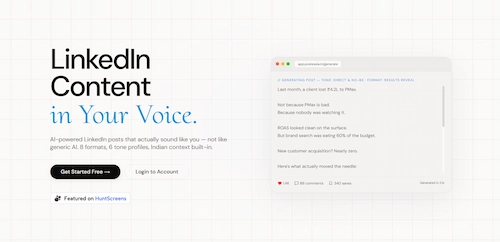
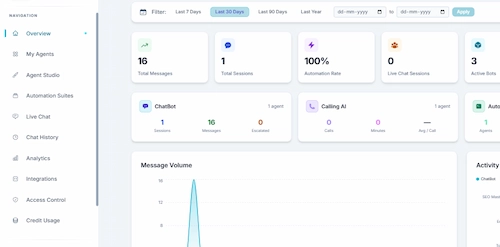
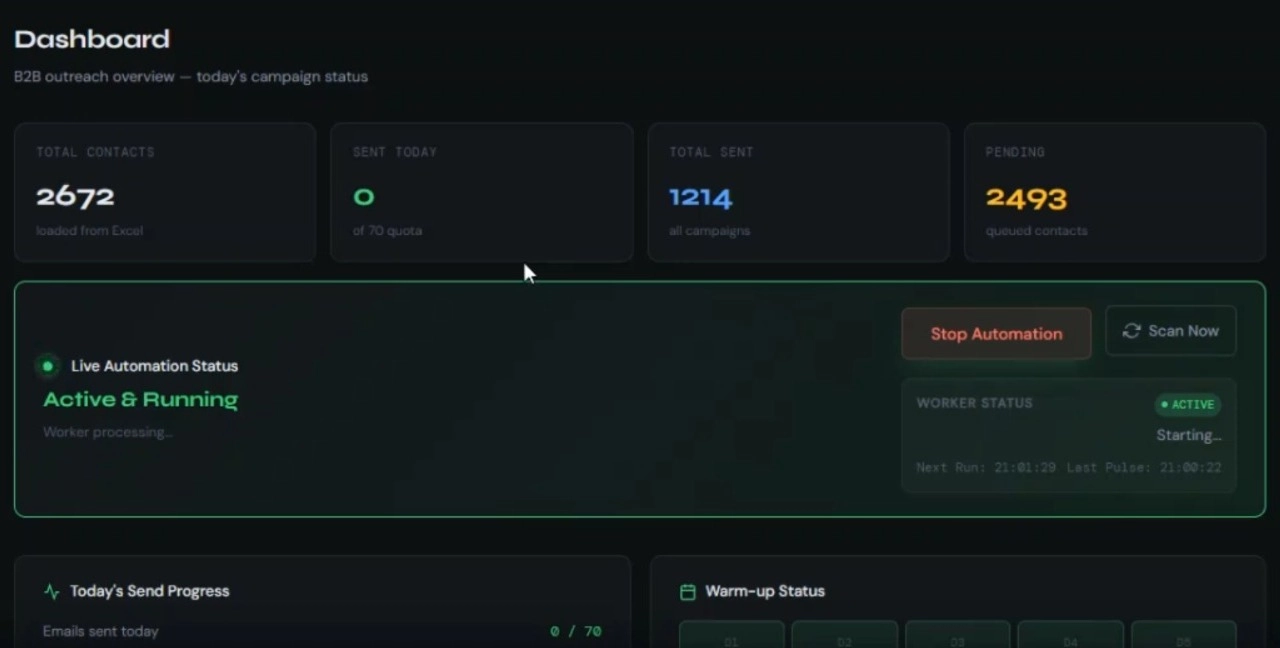
Featured automation work
Our delivery method
The FRAME method: how we build
Most vendors start with a chatbot widget. We start with your support data, because the failed automations we get called in to fix almost always broke on process and knowledge, not on the model.
F
STEP 01/05
Frame the support workflows
Your top ticket types, volumes, current tools, and what a good outcome looks like. The build maps to real support goals. If macros would serve you better, this is where we say so.
R
STEP 02/05
Research intents and data
We read your real past tickets to learn how customers actually ask, map the intents worth automating, and pin down which ones stay with humans.
A
STEP 03/05
Architect the automation
The knowledge sources, the retrieval setup, the escalation rules, the guardrails, and every integration with your helpdesk and CRM. The stage most bot builders skip.
M
STEP 04/05
Make: build and train
We build the flows, connect the systems, ground the assistant in your approved content, and test it against real historical tickets before a single customer sees it.
E
STEP 05/05
Evolve after launch
Monitor accuracy, deflection, and handoff quality, close the gaps the data exposes, and keep improving. Support automation is never finished on day one.
A focused chat or email deployment takes a few weeks. A wider rollout across channels and integrations takes longer. Anyone quoting a firm timeline before the Architect stage is guessing.
Under the hood
What "built properly" actually means
AI support automation is a set of engineering decisions, and each one has consequences.
05 · Accuracy
Grounded answers, not guesses
The assistant answers from your approved knowledge base, with confidence limits and a handoff when it's unsure. Testing against real past tickets is how you catch problems before customers do.
<2.5s
LCP
<200ms
INP
<0.1
CLS
01
Intent and conversation design
Mapping how customers actually ask, so the system understands intent instead of matching keywords, and knows which requests it should not attempt.
02
Knowledge retrieval (RAG)
Connecting the AI to your real documentation so answers stay current and specific, and updating one source updates every reply.
03
Helpdesk and CRM integration
Working inside Zendesk, Intercom, Freshdesk, HubSpot, or whatever you run, reading and writing tickets, orders, and customer records over proper APIs.
04
Escalation and human handoff
Clear rules for when a person takes over, with the full conversation and context passed along, so customers never repeat themselves.
06
Guardrails and safety
Limits on what the assistant will say and do, protection against bad or manipulated inputs, and a refusal to invent answers it doesn't have.
07
Data privacy and security
Handling customer data with care, respecting privacy expectations, and keeping records inside systems you control.
08 · Channel coverage
One consistent brain across chat, email, voice, and messaging like WhatsApp, instead of a separate disconnected bot per channel.
Deflection rate, response time, handoff quality, and ticket trends, reported so you can see what the automation is actually doing and where to improve it.
GutenbergGPT and Claude class models
ElementorBeaverRAG
DiviZendesk
WooCommercePHPIntercom
ReactFreshdesk MERN
GutenbergHubSpot
ElementorWhatsApp Business
Divin8n
WooCommerceNode.js
An honest comparison
Rule-based bot vs AI automation vs all-human
Most vendor content pushes you toward the most expensive option. Here are the real trade-offs, including where AI loses.
| Criteria | Off-the-shelf theme | AI automation | All-human support |
|---|---|---|---|
| Setup cost | Lowest | Highest | Lowest |
| Handles unscripted questions | Poorly | Well | Best |
| Cost per contact at scale | Low | Lowest | Highest |
| 24/7 coverage | Yest | Yes | Only with shifts |
| Response time | Instant | Instant | Queued |
| Best for | Simple, fixed flows | High-volume, repetitive support | Complex, high-touch cases |
If your support is low-volume and highly bespoke, keep it human. AI automation wins when volume is high and much of it repeats.
The payback
How AI automation pays back
It costs more than a widget on day one and less than headcount over time. The payback shows up in three places. Measure each against your own baseline before and after.
~8%
Deflection
A grounded assistant resolves a large share of repetitive tickets with no agent involved, so the queue your team sees shrinks to the cases that actually need them.
// measured vs your baseline3×
Response time
Automated answers land instantly, at any hour, so first-response time stops depending on who is online.
// instant, 24/70
Cost per contact
An automated resolution costs a fraction of a human-handled one, and the gap widens as volume grows.
// unit economics
Ownership
Do I own the automation?
Yes. You're not locked into a proprietary bot platform. The workflows, prompts, and configuration are yours, your data stays in systems you control, and you can move to another team whenever you want.
// license.config
owner = "you";
lock_in = false;
portable = true;
owner = "you";
lock_in = false;
portable = true;
Learn from these
Common mistakes in support automation
The failures we get called in to fix repeat themselves.
A
Launching a bot on top of undocumented processes, so it automates guesswork.
B
Letting the AI answer from the open internet instead of your own approved knowledge.
C
No clean human handoff, so customers get stuck in a loop with no way out.
D
Skipping the test against real past tickets, so accuracy problems reach customers first.
E
Treating launch as the finish line instead of monitoring and improving from real data.
Answered directly
Frequently asked questions
What is AI automation in customer support?
Using AI to handle parts of your support workflow, answering common questions, sorting and routing tickets, drafting replies, and covering after-hours, built around your own processes and connected to your helpdesk and CRM, not a generic off-the-shelf bot.
Will AI replace my support agents?
No. It removes the repetitive, high-volume work so agents focus on complex and sensitive cases. The system hands off to a human with full context whenever a query needs one.
Does it connect to my existing helpdesk?
Yes. We integrate with tools you already run, such as Zendesk, Intercom, Freshdesk, or HubSpot, so automation works inside your current setup.
How do you stop the AI from giving wrong answers?
It answers from your approved knowledge base, with guardrails, confidence limits, and a handoff when unsure. We test against real past tickets before launch and monitor accuracy after.
How long does setup take?
A focused chat or email deployment usually takes a few weeks. A wider multichannel rollout takes longer. We scope against your ticket data before quoting.
Do I own the automation and the data?
Yes. The workflows, prompts, and configuration are yours, with no lock-in, and your customer data stays in systems you control.
Ready when you are
Find out if AI automation fits your support
Tell us your top ticket types and the tools you use. If AI automation is the answer, we'll come back with a scope and a recommendation. If a simpler fix serves you better, we'll tell you that too.
+91 9898 927 052 · contact@multidivs.com