Built to Your Needs
Tailored functionality that matches your exact business requirements.
Optimized for Speed & Security
Lightweight, secure code ensuring fast load times and safe operation.

At MultiDivs, we build custom WordPress plugins — not just tweaks. From unique functionality and business automation to seamless integration with themes and third‑party APIs, our plugins are designed for performance, stability and long‑term growth.
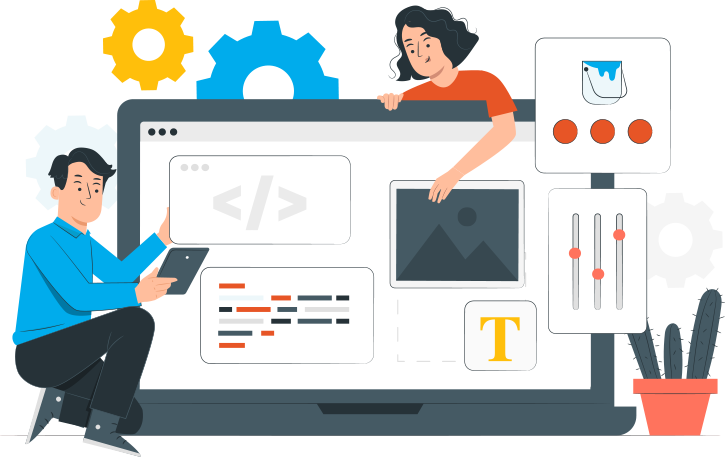
A custom WordPress plugin is tailored specifically to your business needs, offering unique functionality, improved performance, and seamless integration. Unlike generic plugins, it ensures better security, scalability, and long-term support for your website.
Tailored functionality that matches your exact business requirements.
Lightweight, secure code ensuring fast load times and safe operation.
Automates workflows, integrates tools, and saves valuable time.
Easily extendable to grow alongside your business demands.
Works flawlessly with your existing themes, plugins, and third-party services.
You own the code, allowing complete customization and flexibility without restrictions.

Need a completely new feature? We design and develop plugins specifically for your goals and technical setup.
Have an existing plugin that needs tweaks or extra features? We can extend its functionality or optimize its performance.
Connect your WordPress site to external services like CRMs, payment gateways, analytics, and more via custom-built APIs.
Supercharge your online store with custom WooCommerce plugins tailored to your business needs—advanced shipping, custom checkout, reports, and more.
Running a WordPress Multisite network? We develop plugins designed to work flawlessly across all your sites.
Our plugins are built with WordPress coding standards and best practices to ensure safety, speed, and long-term stability.
Typically 3‑8 weeks depending on complexity.
Yes — we build following WP coding standards to ensure future compatibility.
Yes — we can extend or enhance existing plugins, or build from scratch when required.
Yes — you retain full rights, and we hand over source code and documentation.
Empowering Brands Through Strategy,
Design & Technology.

Off-the-shelf plugins solve general problems. Yours is specific. A booking system that doesn't match your appointment logic. A pricing plugin that gets halfway through your rules and stops. An integration that syncs one direction and breaks on edge cases. The fix is usually another plugin, and now you have four overlapping plugins maintaining a feature that should live in one.
Custom plugin development is the alternative. One plugin, written for exactly what your site needs, isolated from the theme so updates don't break it, built to WordPress coding standards so it stays maintainable after handover.
Your product, engineered
Core Web Vitals
LCP · INP · CLS ✓
owner = "you"
no lock-in
Most feature requests don't. A well-maintained, actively supported plugin handles the common cases cleanly, and buying one costs less than building one. The question to ask first is whether your requirement fits the plugin's assumptions, or whether you've been bending your workflow to fit the plugin.
The sites we get called in to fix almost always tried plugins first. By the time a custom build makes sense, the site is running four plugins to approximate one feature, the plugins conflict on every minor update, and the business logic is distributed across settings screens nobody fully understands.
"We've built plugins for businesses that had tried three off-the-shelf solutions. In each case the problem wasn't the plugins, it was that no plugin was ever going to do what they needed, because what they needed was specific to how they operate.
— Ravi, MultiDivs
Plugin-caused problems rarely announce themselves clearly. They show up as friction that compounds month by month.
You've stacked plugins to approximate a single piece of functionality. They share database tables, conflict on updates, and nobody is certain what breaks if one is removed.
Pricing rules, access control, or custom post-type behaviour is sitting in functions.php or a page builder's custom code block. It survives until the next theme change. Then it doesn't.
Your CRM, ERP, or inventory system gets data from WordPress on a schedule via a webhook that fails silently when the payload doesn't match expectations.
The plugin does twelve things. You need one. The other eleven run on every page load, add to your attack surface, and contribute to queries you didn't ask for.
A WooCommerce or WordPress core update reliably breaks something. You run updates on staging first because production is uncertain. That's a plugin architecture problem, not a hosting problem.
Your use case is specific enough that no plugin was built for it. You've tried adaptations that almost work and spent more in developer time bending them than a custom build would have cost.
Custom plugin development costs more upfront than buying a licence. The question is whether the feature justifies that cost, and often it doesn't.
// a custom plugin earns its cost when
// a plugin licence already does the job when
We say what's right and what's needed. If an existing plugin solves it, we'll tell you which one.
Poorly scoped plugins are the most expensive kind. We do the requirements work before writing a line of code, because what you save in the spec phase you spend twice in rewrites.
What does the plugin need to do? What does it touch? What breaks if it's wrong? We write it down, get it agreed, then quote from the spec. Plugins built from vague briefs drift in scope and break on edge cases nobody anticipated.
We look at what's already running on the site before proposing anything new. Plugin conflicts, shared hooks, database collisions, and theme dependencies all need to be understood before adding another component to the stack.
Where does the plugin hook into WordPress? What data model does it need? How does it interact with WooCommerce, if at all? How will it handle updates to WordPress core? These decisions made now prevent the refactors that happen six months after launch.
PHP built to WordPress coding standards. Hooks and filters where they belong, no modifications to core files. Data sanitised on input, escaped on output. Admin UI if required. Unit tests for critical logic paths. Handover documentation written for whoever maintains this next.
Real traffic surfaces edge cases staging environments don't. We monitor the plugin's behaviour in production, fix what real use reveals, and extend functionality as the business requirements grow.
A focused plugin with a clear scope takes two to four weeks. A plugin with complex integration, custom data models, and a full admin interface takes longer. We scope before we quote.
Custom development is a set of engineering decisions, and each one has consequences for the site's security, performance, and longevity.
The average WordPress installation runs 20 to 30 active plugins. One purpose-built plugin replacing four conflicting ones is not just a maintenance improvement. It's a security reduction.
91%
Plugin-sourced vulnerabilities
43%
Exploitable without auth
<5hrs
Exploit deployment after disclosure
Functions attached to the right action and filter hooks, namespaced to avoid collisions with other plugins, nothing registered globally that doesn't need to be. This is what separates a plugin that survives updates from one that breaks them.
Every input sanitised before it touches the database. Every output escaped before it hits the browser. Nonces on every form. Capability checks before every privileged action. Cross-site scripting accounts for 47.7% of all WordPress plugin vulnerabilities. (Patchstack 2026) Clean data handling is not optional.
Checkout logic, pricing rules, custom product types, fulfilment hooks, written in a plugin isolated from the theme, so a redesign doesn't break the store's commercial logic. WooCommerce updates change hooks. Plugins that follow the API survive those changes. Theme functions.php code doesn't.
Structured endpoints, versioned routes, proper authentication, error handling that logs failures and retries rather than failing silently. Two-way integrations between WordPress and a CRM or ERP require all of this to be reliable enough to run without manual oversight.
Built with the Settings API, not hardcoded HTML. Options stored correctly, capability-checked on every request. An admin interface that a non-developer can use without being able to break anything they shouldn't touch.
The plugin is tested against the site's custom theme in staging before it goes near production. Template overrides isolated to the plugin's own views directory. No direct modifications to theme files.
Network-activated plugins need different capability checks and different option storage than single-site plugins. For clients running WordPress Multisite, we build for network activation from the start rather than retrofitting it.
| Criteria | Off-the-shelf plugin | Custom plugin | SaaS / third-party integration |
|---|---|---|---|
| Upfront cost | Lowest (licence fee) | Highest | Mid (subscription) |
| Fit to your requirement | Approximates it | Exact | Approximates it |
| Security surface | Every feature, even unused | Only what you need | External service dependency |
| Survives WP updates | Depends on vendor | Built to survive them | Independent of WP |
| Data ownership | Varies by plugin | You own everything | Data lives in their system |
| Ongoing cost | Licence renewals compound | Low after build | Recurring subscription |
| Best for | Standard features with active vendor support | Specific logic, integrations, WooCommerce | Features where a third-party tool is the right product |
Off-the-shelf plugins are the right answer for most features. Custom earns its cost when the requirement is specific enough that no plugin fits without meaningful modification or when the security surface of additional plugins matters to the business.
It costs more to build than to buy a licence. The return is in what you stop spending.
~95%
Of 11,334 WordPress vulnerabilities discovered in 2025, 91% were in plugins. (Patchstack, State of WordPress Security 2026) One purpose-built plugin replacing four general-purpose ones is four fewer entries in that tally.
// Patchstack 20260
A plugin built to WordPress coding standards and WooCommerce hook APIs doesn't break when core updates ship. The sites that run updates on staging first because production is uncertain are the ones with plugins built outside the standards.
// reliability20–30
The average WordPress installation carries 20 to 30 active plugins. Each adds HTTP requests, database queries, and attack surface. A custom plugin consolidating the stack carries only what it needs.
// industry dataThe plugin, its data model, its admin interface, all of it is yours. No vendor decides to change the pricing model. No plugin gets removed from the repository and takes your functionality with it. No subscription renewal stands between you and a working site.
The failures we get called in to fix repeat across agencies and clients.
Writing business logic in functions.php and calling it a plugin. It isn't. It breaks on the next theme change and nobody knows where to find it a year later.
Skipping the specification. A vague brief produces a plugin that does most of what was intended. The rest gets discovered in production.
Skipping nonces, capability checks, and output escaping because "it's internal." XSS and CSRF vulnerabilities don't distinguish between internal tools and public-facing ones.
Building the admin UI in raw HTML outside the Settings API. Options stored inconsistently, no sanitisation on save, broken by a future WordPress admin redesign.
Handing over the plugin with no documentation. The developer who built it leaves. Nobody else can maintain it. The client rebuilds it eighteen months later.
Building a plugin from scratch for one specific site or business requirement, rather than adapting an off-the-shelf plugin to approximate what you need. The plugin handles exactly the functionality it was built for, follows WordPress coding standards, and is isolated from the theme so it survives updates and redesigns.
A focused plugin with a clear scope takes two to four weeks. A plugin with a complex data model, a full admin interface, external API integrations, and WooCommerce hooks takes longer. We scope the requirement before quoting a timeline.
When built to WordPress coding standards and WooCommerce hook APIs, no. Plugins that hook into documented APIs survive core updates. Plugins that rely on undocumented internals don't. We build to the documented APIs.
Yes, and it's often the right call. If an existing plugin handles 80% of the requirement and the remaining 20% can be added via a clean extension, that's cheaper than a ground-up build. We'll tell you which path makes more sense after seeing the requirement.
Scope. A purpose-built plugin contains only the code it needs. A general-purpose plugin carries features, admin pages, REST endpoints, and database tables for use cases you don't have, all of which are attack surface. 43% of WordPress plugin vulnerabilities are exploitable without authentication. (Patchstack 2026) Fewer features means fewer entry points.
Yes. Checkout logic, pricing rules, custom product types, fulfilment hooks, subscription billing, and WooCommerce customizations of all kinds, built as plugins isolated from the theme.
Both. Clients who need a custom WordPress build alongside plugin development get both handled by the same team, with no handover gap between the theme and the plugin layer.
Describe the feature or the problem. We'll look at your current stack, tell you whether a plugin or a configuration change is the right answer, and scope the build if custom development is warranted.
+91 9898 927 052 · contact@multidivs.com